

Why are prospects clicking, browsing, and even showing buying intent-only to disappear before they convert? In most funnels, the biggest losses don’t happen at the top; they happen in the hidden friction points no one is actively measuring.
A bottleneck can be as obvious as a broken checkout page or as subtle as a weak handoff between ad messaging and landing page copy. Either way, it slows momentum, leaks qualified leads, and makes your acquisition costs climb fast.
Identifying these choke points means looking beyond surface-level conversion rates and tracing where attention, trust, or urgency collapses. The goal isn’t just to find where users drop off, but to understand why they stop moving forward.
Once you can pinpoint the stages that kill progress, optimization becomes far more precise-and far more profitable. Instead of guessing what to fix, you start removing the exact barriers standing between traffic and revenue.
What Funnel Bottlenecks Are and Why They Suppress Conversions
A funnel bottleneck is the point where buyer momentum slows or collapses before the next intended action. It is not just a page with a low conversion rate; it is a constraint in the journey that limits the performance of everything upstream, whether that constraint is weak message-match, unnecessary form friction, delayed follow-up, or a trust gap that appears at a specific decision moment.
Simple example: paid traffic lands well, product interest is obvious, but demo bookings stay flat. In a real audit, this often turns out not to be a “traffic problem” at all, but a handoff problem-calendar load times, too many required fields, or no visible proof that booking is worth the effort. Small blockage, big suppression.
That matters because funnel stages are interdependent. If 1,000 visitors reach pricing and only a fraction starts checkout, the damage is not isolated to that page; acquisition efficiency, sales capacity planning, and retargeting economics all get distorted. Teams often keep optimizing ad creative while the real limit sits lower in the funnel, plain as day inside Google Analytics 4, Hotjar, or a CRM stage report.
One quick observation from practice: the worst bottlenecks are often “normal looking.” Nothing is fully broken, so nobody owns the issue.
- Visible bottlenecks: broken forms, slow pages, payment errors.
- Behavioral bottlenecks: hesitation caused by unclear pricing, unclear next steps, weak reassurance.
- Operational bottlenecks: leads enter, but follow-up lags in the CRM or sales queue.
That’s the uncomfortable part. A funnel can appear healthy in aggregate while one choke point quietly suppresses every downstream conversion opportunity.
How to Diagnose Conversion Bottlenecks at Each Funnel Stage
Start with one question: where does intent break, not just traffic? Pull a stage-by-stage report from GA4 or Mixpanel, then compare progression rates between stages against the source, device, and landing page promise. If paid search visitors reach product pages but stall before cart, that usually signals message mismatch or pricing friction; if they add to cart but vanish at checkout, look at trust, form fatigue, or payment errors first.
- Top of funnel: Check click-to-session quality, bounce by campaign, and scroll depth by landing page. A high CTR with weak engaged sessions often means the ad is selling a different outcome than the page delivers.
- Middle of funnel: Review product views, filter usage, comparison behavior, and exit rate from key decision pages. In e-commerce audits, I often find bottlenecks in internal search results or category pages with too many dead-end clicks.
- Bottom of funnel: Measure cart-to-checkout, checkout step completion, coupon field interaction, and payment failure codes. A visible coupon box can tank conversion faster than most teams expect.
Small clue, big answer. Watch session recordings in Hotjar or Microsoft Clarity only after you know which segment is underperforming; otherwise you end up watching random noise. One real case: mobile users were abandoning a lead form at “Company Size,” and the issue wasn’t intent at all-the dropdown covered the submit button on smaller screens.
One thing people miss: time lag. If high-consideration traffic looks weak in the same-day funnel view, check assisted conversions in Google Ads and CRM handoff timing before declaring a stage broken. Misreading sales-cycle delay as a funnel bottleneck leads teams to “fix” pages that were never the problem.
Advanced Funnel Optimization Strategies and Costly Mistakes to Avoid
Past a certain point, more traffic won’t rescue a weak funnel. The smarter move is to separate friction from intent: identify where qualified users hesitate because of uncertainty, not because they were never a fit. In practice, that means reviewing session recordings in Hotjar or Microsoft Clarity alongside CRM outcomes, so you can tell the difference between a pricing-page stall that signals confusion and one that signals sticker shock.
A strong optimization strategy is to prioritize bottlenecks by revenue sensitivity, not just drop-off volume. A 12% leak on a high-intent demo request page often matters more than a 40% drop on a low-commitment blog CTA, yet teams chase the bigger percentage because it looks urgent in GA4. That’s expensive.
- Use segmentation before testing: compare new vs. returning users, branded vs. non-branded traffic, and desktop vs. mobile. Mixed audiences produce misleading “average” conversion behavior.
- Test sequence, not isolated elements: changing form length without adjusting trust cues, CTA wording, or page hierarchy usually gives noisy results.
- Audit handoff delays: if leads wait 45 minutes for a follow-up email or sales callback, the funnel is leaking after the tracked conversion event.
I’ve seen this more than once: a company rewrites headlines for weeks while their mobile checkout button sits under an autofill error on Safari. Nobody noticed because the team reviewed desktop screenshots in staging, not live device behavior in BrowserStack. Small oversight, big revenue loss.
Another common mistake is optimizing for completion instead of conversion quality. Removing qualifying fields can lift form fills, sure, but if sales starts rejecting half the leads, the funnel did not improve; attribution just hid the damage. The best optimization decisions survive scrutiny downstream.
Closing Recommendations
The key to fixing funnel bottlenecks is knowing which friction points actually suppress revenue-and which only look concerning on the surface. Instead of reacting to every drop-off, focus on the stages where user intent is high, traffic volume is meaningful, and the business impact of improvement is measurable.
Use your data to decide where to act first:
- Prioritize bottlenecks that affect qualified users, not just total visitors
- Validate whether the issue comes from traffic quality, messaging, UX, or technical failure
- Improve one critical step at a time, then measure conversion lift before scaling changes
The most effective teams do not optimize the whole funnel at once-they remove the one constraint that unlocks the next stage of growth.
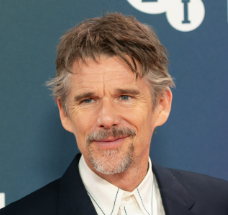
Dr. Ethan Caldwell is a specialist in Digital Performance and Web Engineering, with a Ph.D. in Computer Science focused on scalable web systems and high-performance architectures. Over the past decade, he has worked with global startups and enterprise-level companies, helping them optimize digital infrastructure, improve conversion rates, and build data-driven growth systems.
His expertise spans conversion rate optimization (CRO), performance engineering, UX optimization, and full-funnel strategy, combining technical precision with business impact. Dr. Caldwell is known for transforming underperforming digital assets into high-converting, scalable platforms.
He regularly publishes insights on web performance, user behavior, and growth engineering, focusing on practical strategies that drive measurable results. His work is grounded in real-world experimentation, A/B testing, and continuous optimization.